Create itineraries via email, your smartphone’s camera or by hand. Premium features include itinerary calendar views, daily & monthly budgets, visa monitoring & a document vault.
Wanderer Wallet is a travel finance companion built for people who move through the world and want to stay on top of every detail, from daily expenses to visa deadlines.
Organize your trips from start to finish. Every flight, hotel, and activity in one place.
Set daily and monthly spending limits. Monitor expenses in real time across categories.
Track visa requirements and expiry dates so you’re never caught off guard abroad.
Track expenses across multiple currencies, destinations and trip types, all in one place.
Your data is encrypted at rest and in transit. Receipts and documents are stored privately in your personal vault.
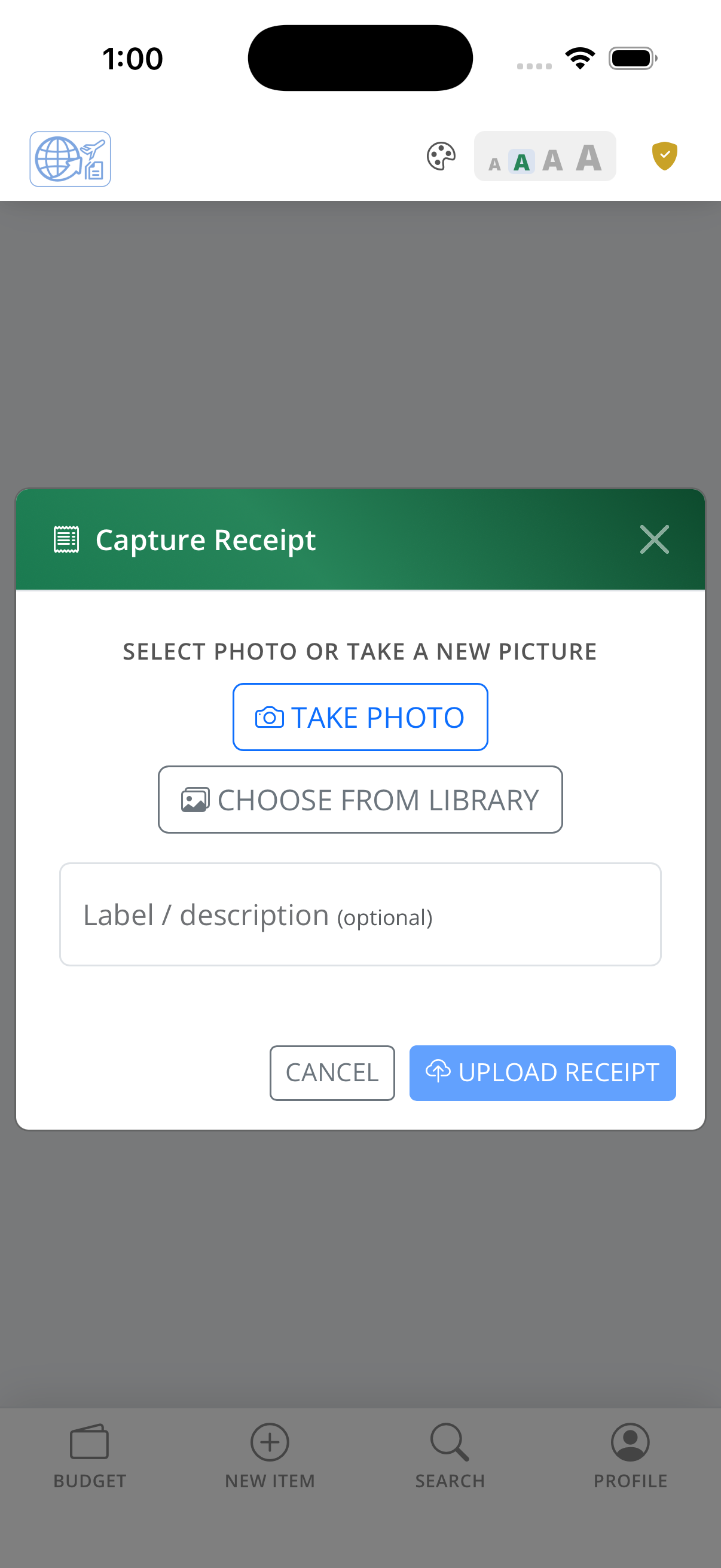
Add receipts by photo, email forward, or manual entry. Wanderer Wallet fits into your workflow.
Wanderer Wallet is a travel finance companion built for people who move through the world and want to stay on top of every detail, from daily expenses to visa deadlines.
Organize your trips from start to finish. Every flight, hotel, and activity in one place.
Set daily and monthly spending limits. Monitor expenses in real time across categories.
Track visa requirements and expiry dates so you’re never caught off guard abroad.
Track expenses across multiple currencies, destinations and trip types, all in one place.
Your data is encrypted at rest and in transit. Receipts and documents are stored privately in your personal vault.
Add receipts by photo, email forward, or manual entry. Wanderer Wallet fits into your workflow.
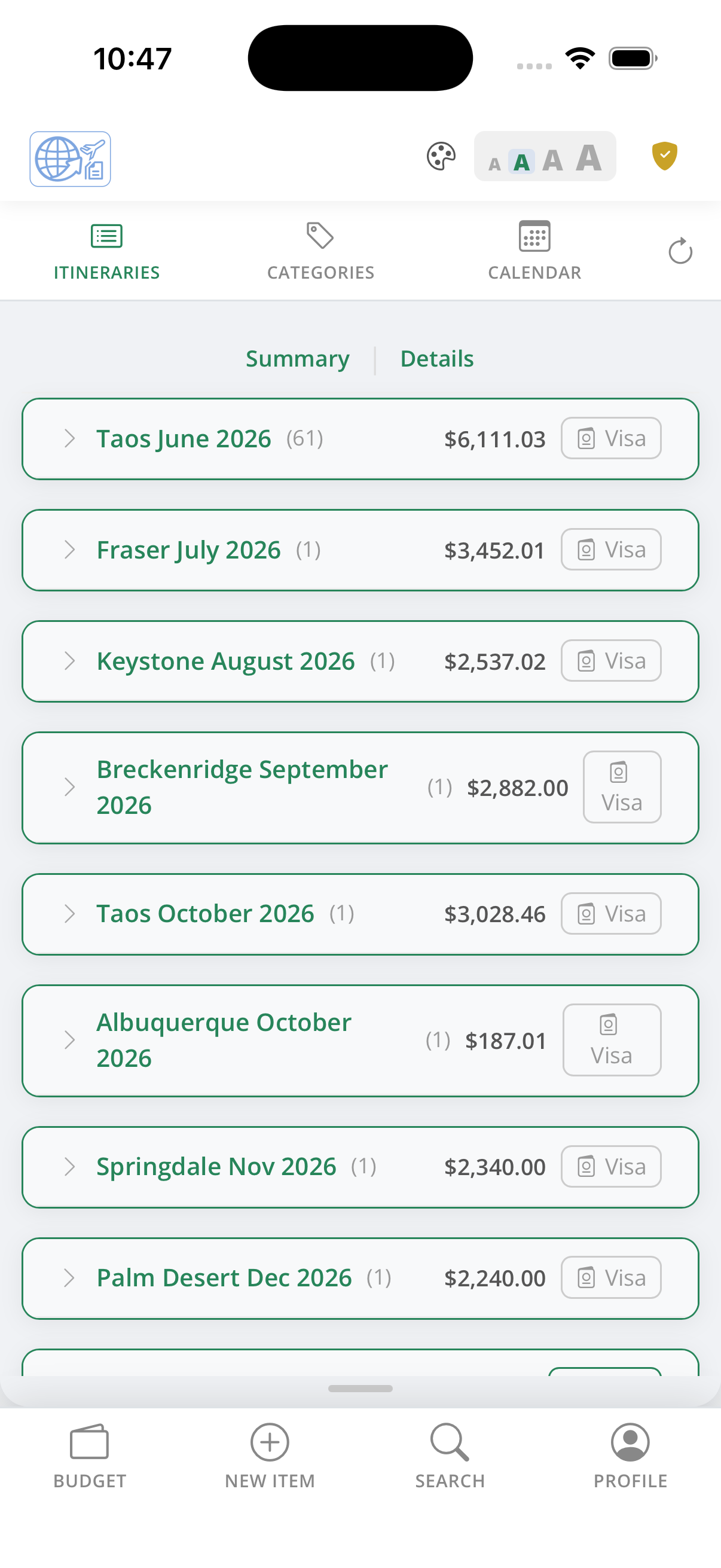
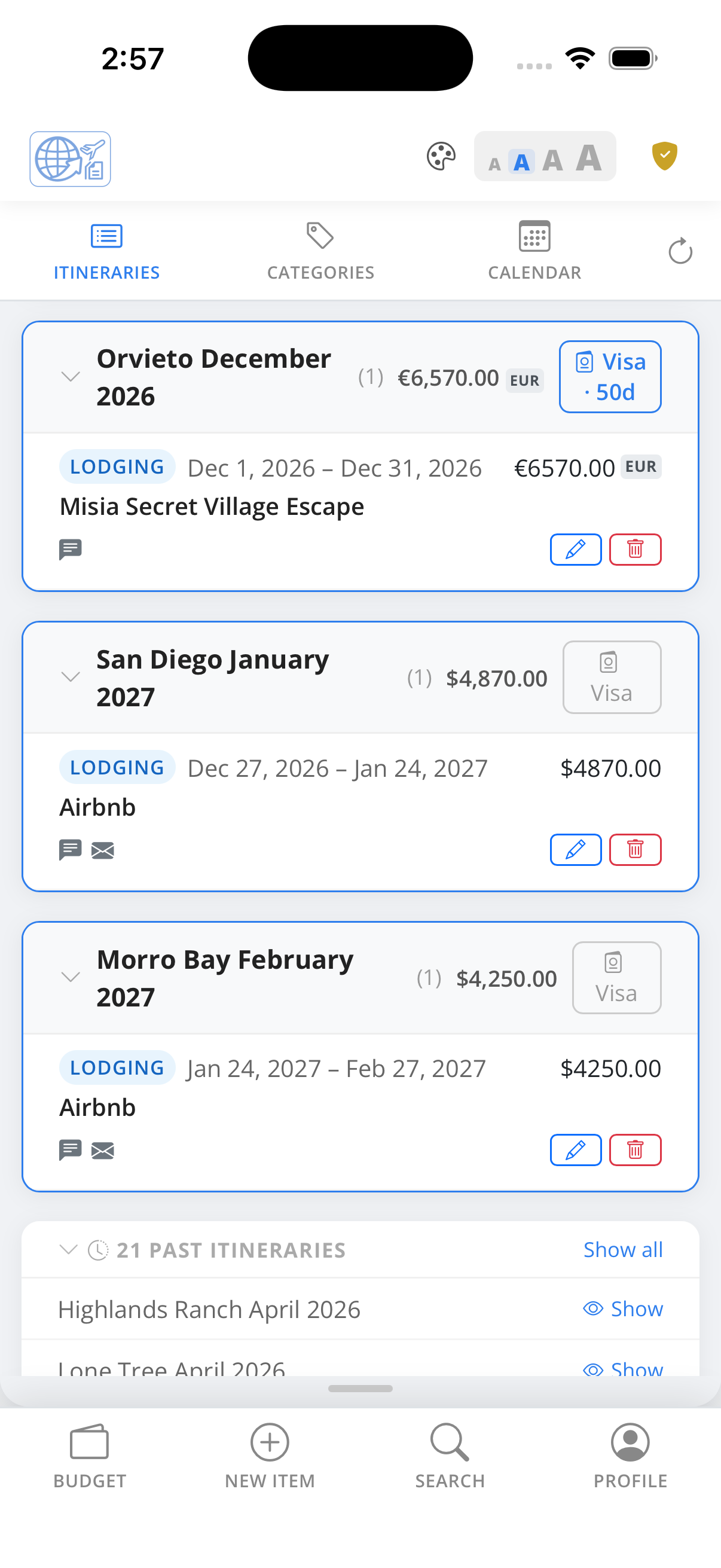
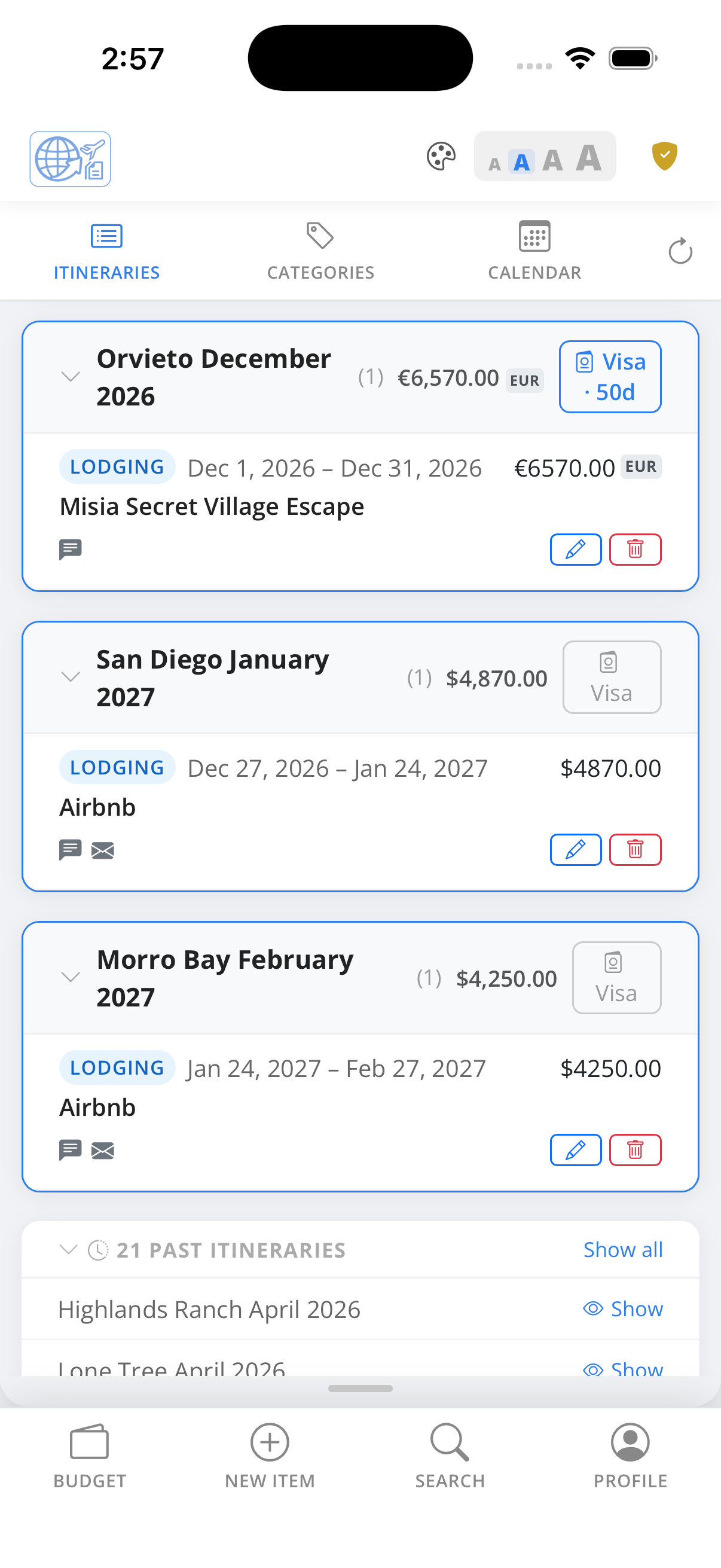
Summary mode shows all your itineraries in a compact list. The total cost allocated to each itinerary is displayed in the right margin, along with a visa indicator when a visa is associated with the trip — everything you need at a glance without drilling in.
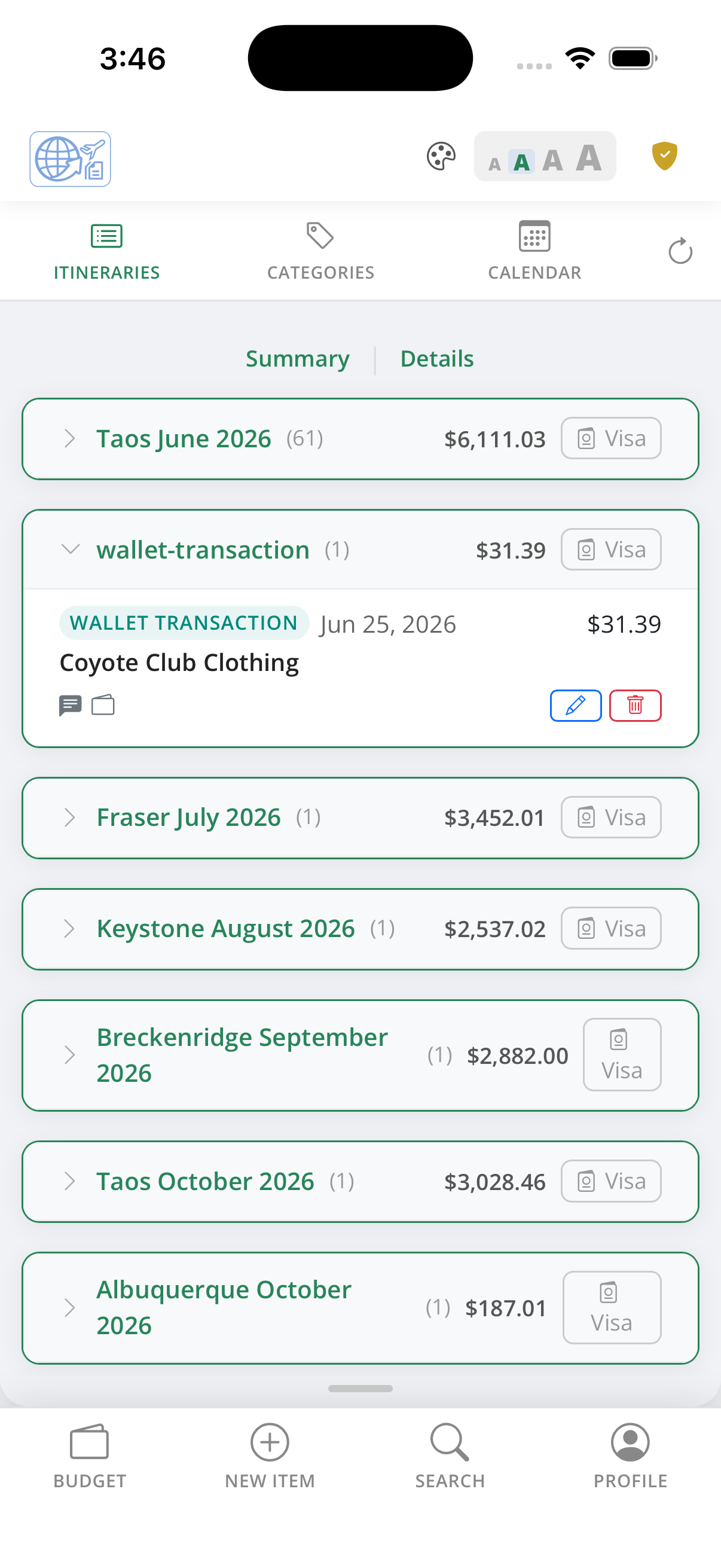
Switch to Detail mode and expand any itinerary with the › control to see every expense category that has records. Each item shows the date, vendor, a notes indicator, and the source, such as an emailed receipt icon or a wallet transaction icon. Per-item Edit and Delete controls are available directly in the list.
Wanderer Wallet supports Apple Wallet integration. Set up your personal automation shortcut and then tap your card to make a purchase. The transaction is sent to Wanderer Wallet automatically, appearing in your itinerary ready for you to add details.
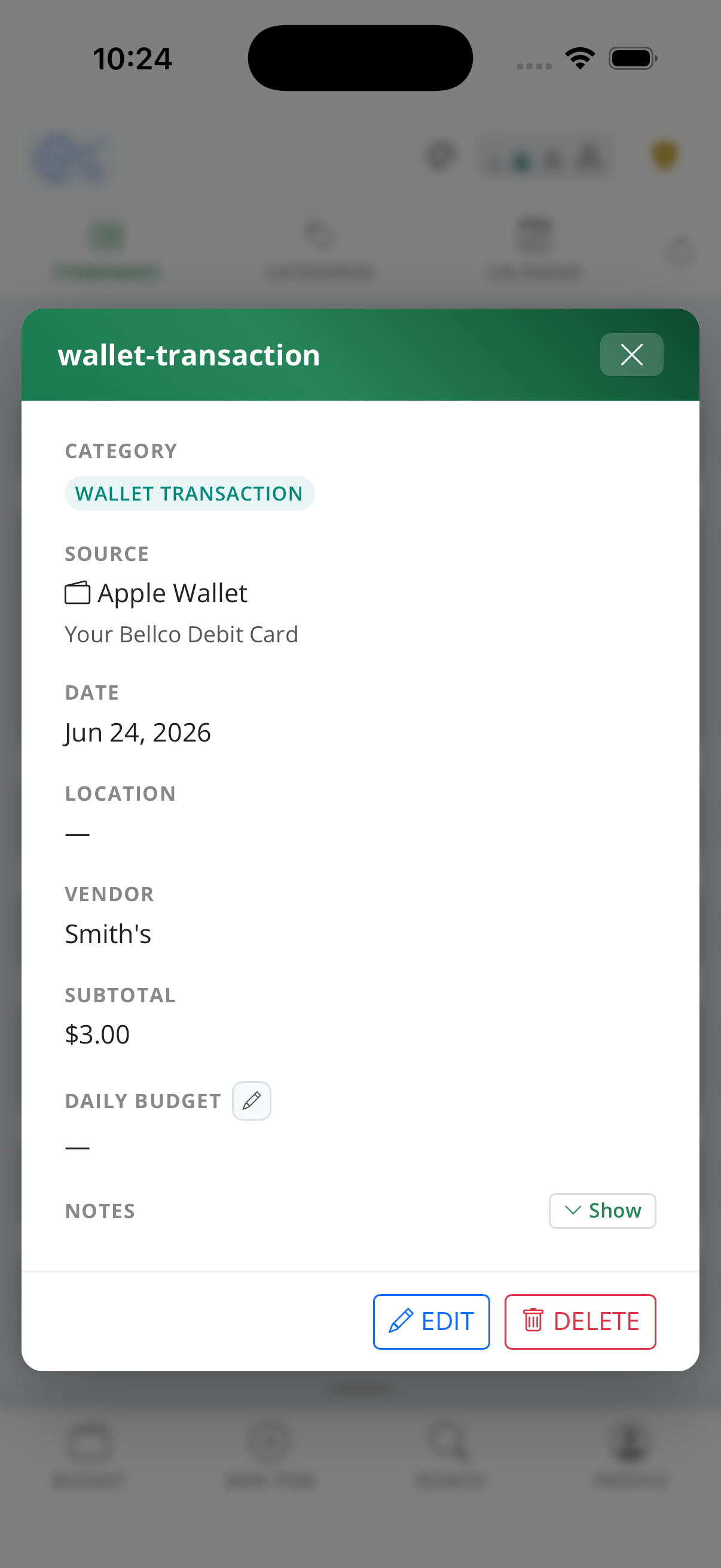
Tap any wallet transaction to review the full record — vendor name, amount, card used, and transaction date are all captured automatically from the Apple Wallet shortcut. The detail view also shows which itinerary and category the charge has been assigned to.
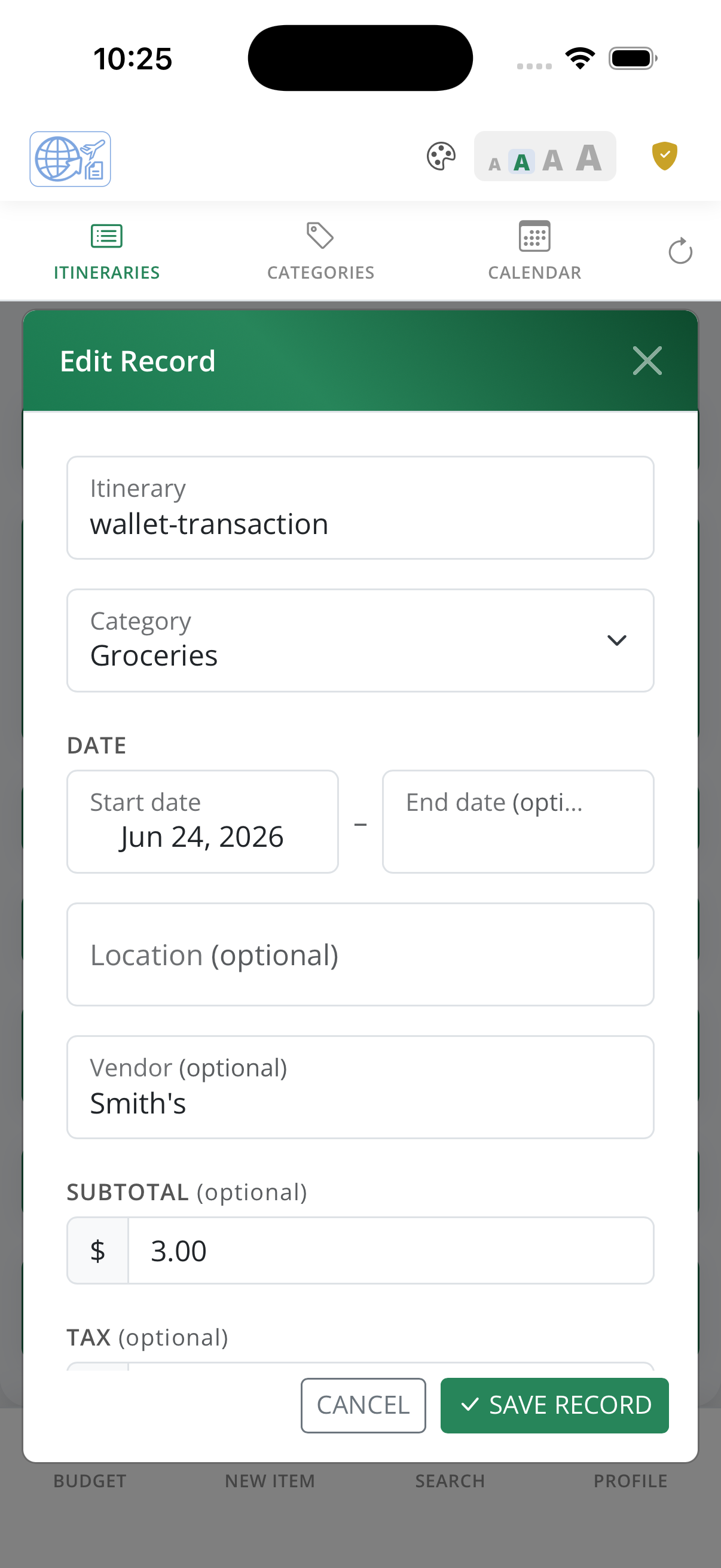
Edit any wallet transaction directly in the app — update the category, assign it to an itinerary, add notes, or upload a receipt photo to the record. The full editor gives you complete control over how each charge is categorised and stored.
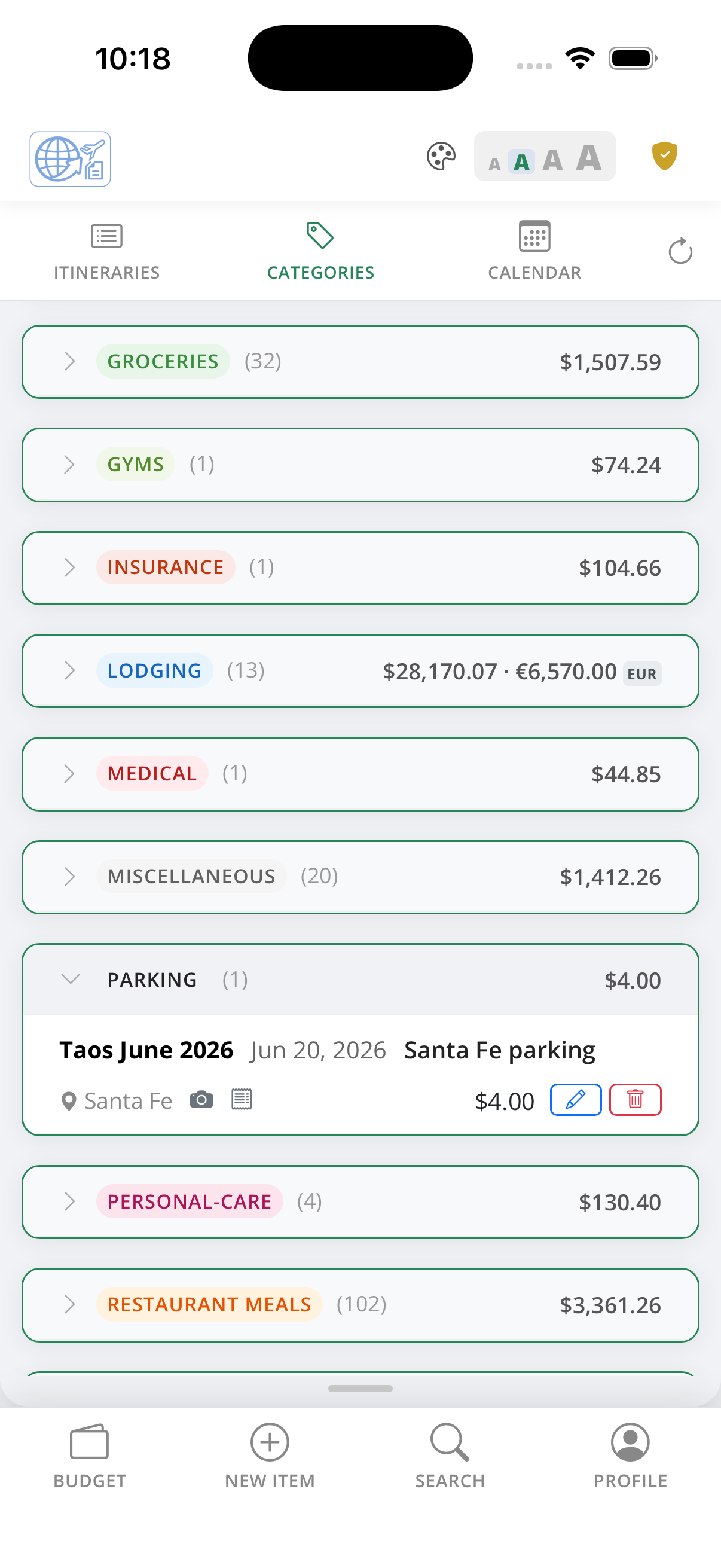
The Categories view groups every record by expense type — flights, lodging, meals, fuel, activities, and more — so you can see your total spend per category across all itineraries at a glance.
Over 30 travel-specific categories cover nearly every kind of travel expense. Free accounts include the most common categories; premium unlocks the full library so nothing gets lumped into "other."
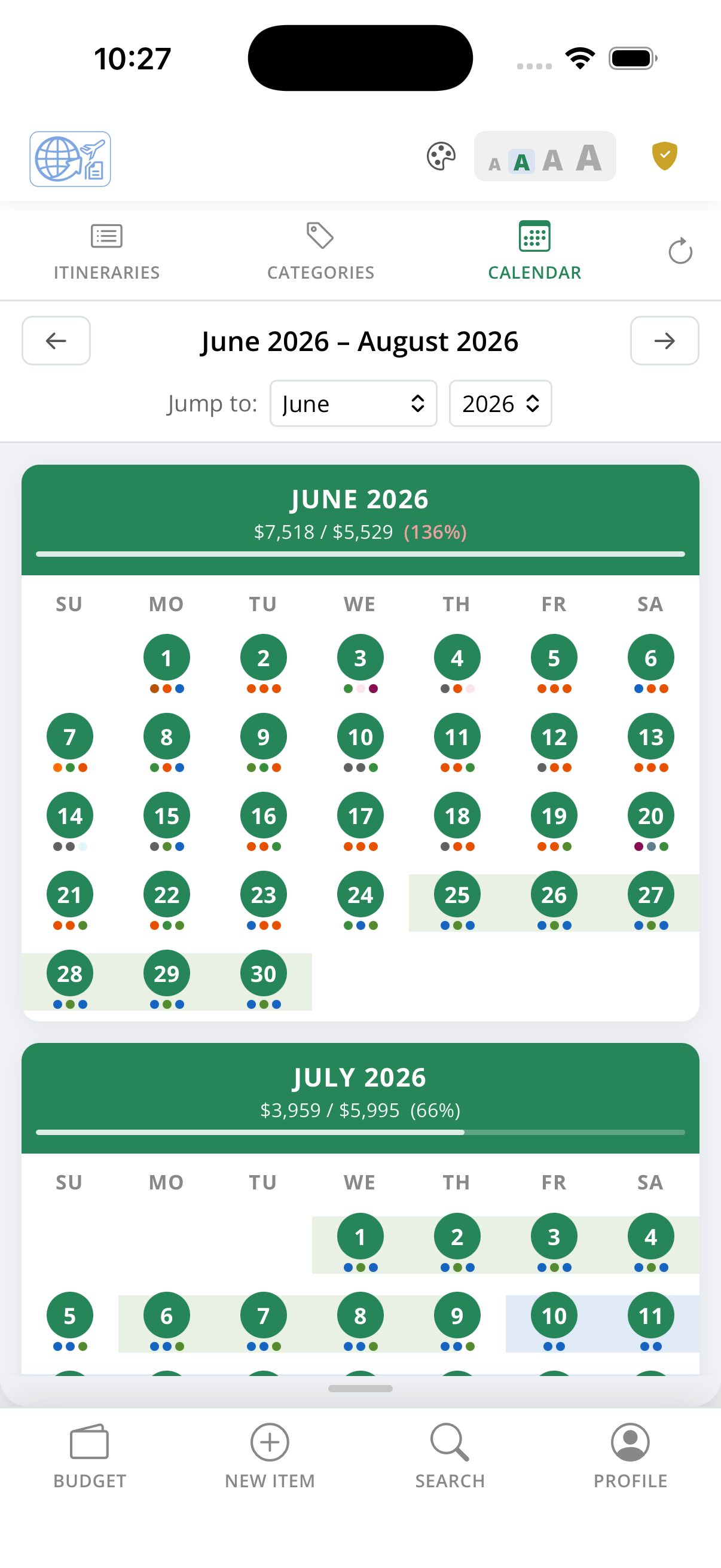
The calendar view shows three months at a time, mapping your itinerary records to the exact days they fall on. Days with records are highlighted so you can instantly see which stretches have coverage and where the gaps are.
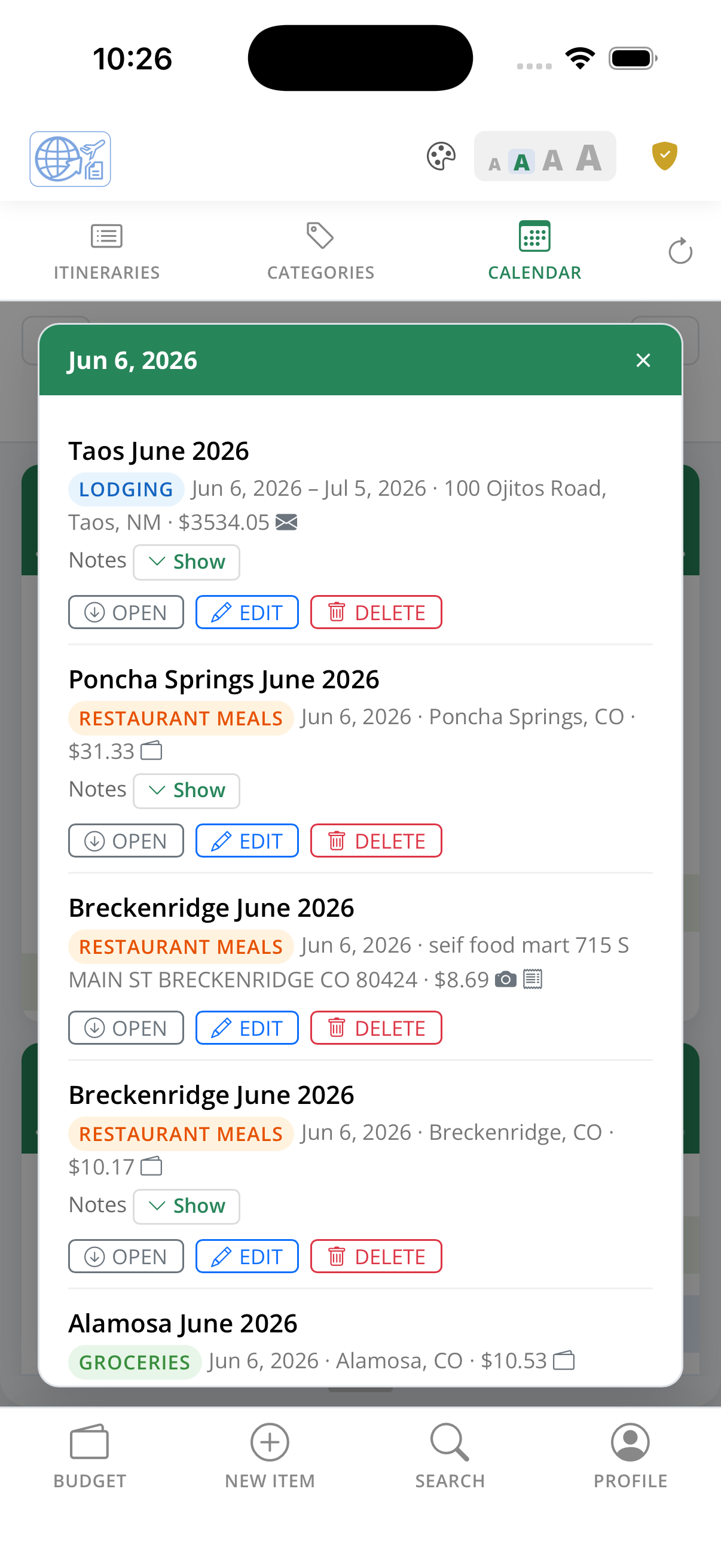
Tap any date on the calendar to see every record that falls on that day — category, vendor, and cost listed in full. Multi-day records like hotel stays and car rentals span their entire date range on the calendar automatically, so there's no double-entry needed.
Add a new travel record in seconds — choose the expense category, select an itinerary, enter the vendor name and cost, and optionally set a date range, currency, or notes. Or simply forward a receipt email and let Wanderer Wallet parse the details automatically.
Records that span multiple days, like a hotel stay or a multi-day car rental, are entered once and the app prorates the daily cost automatically for accurate budget tracking.
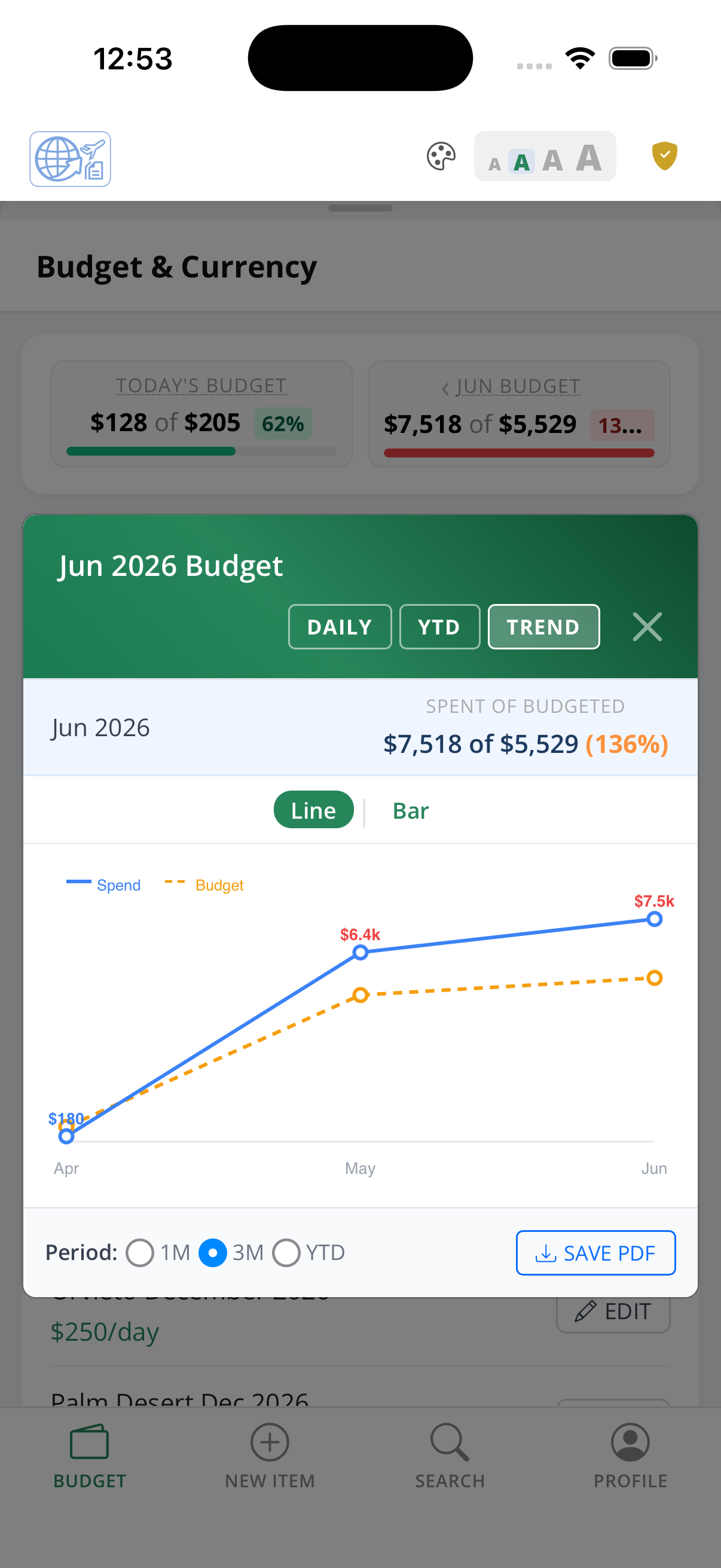
The 3-month trend chart plots your actual spend against your daily budget target across consecutive months. The blue line tracks total spend and the amber line tracks your budget pace — toggle to a bar chart view for a side-by-side monthly comparison.
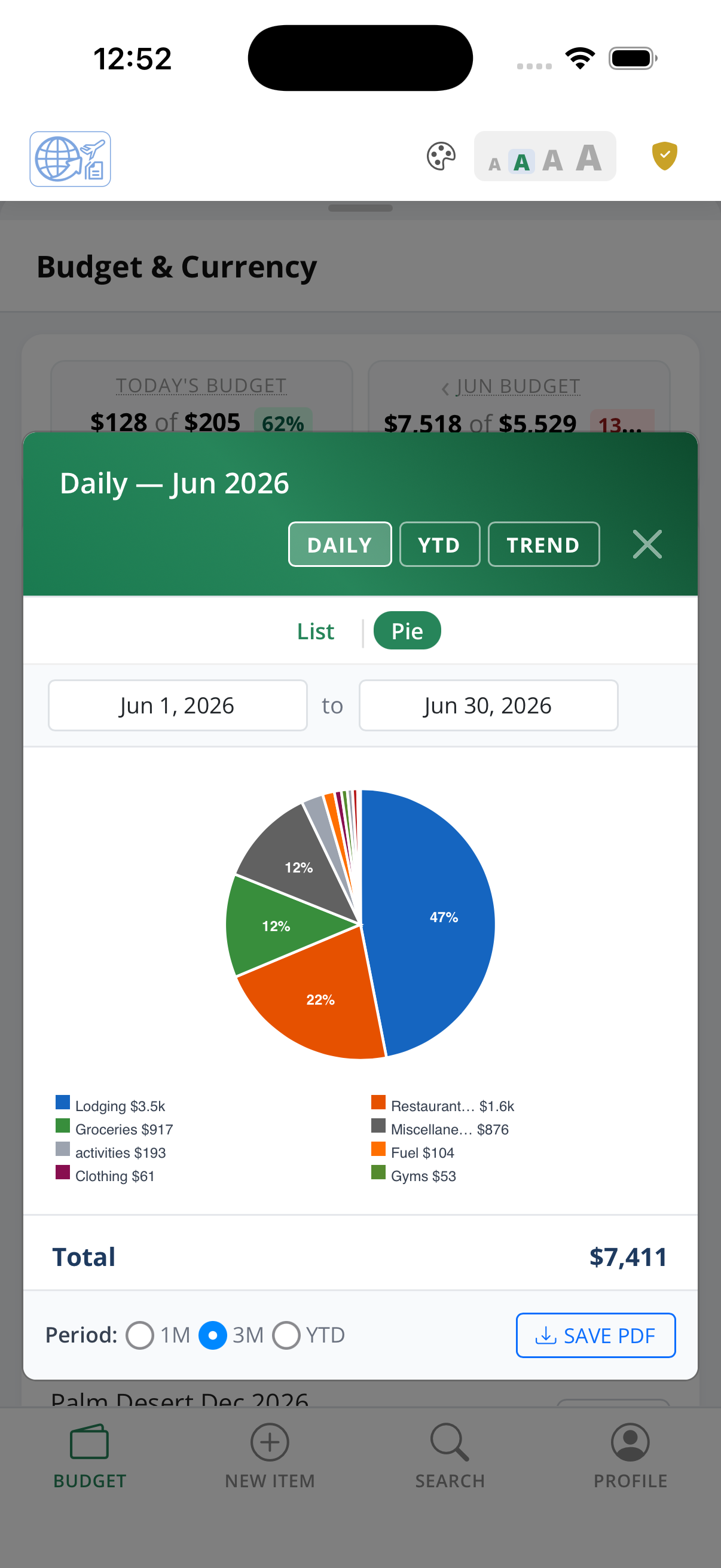
The daily budget pie chart breaks your spending for any selected date range into category slices. See at a glance which expense types are consuming the largest share of your daily allocation, with a legend showing the exact amounts.
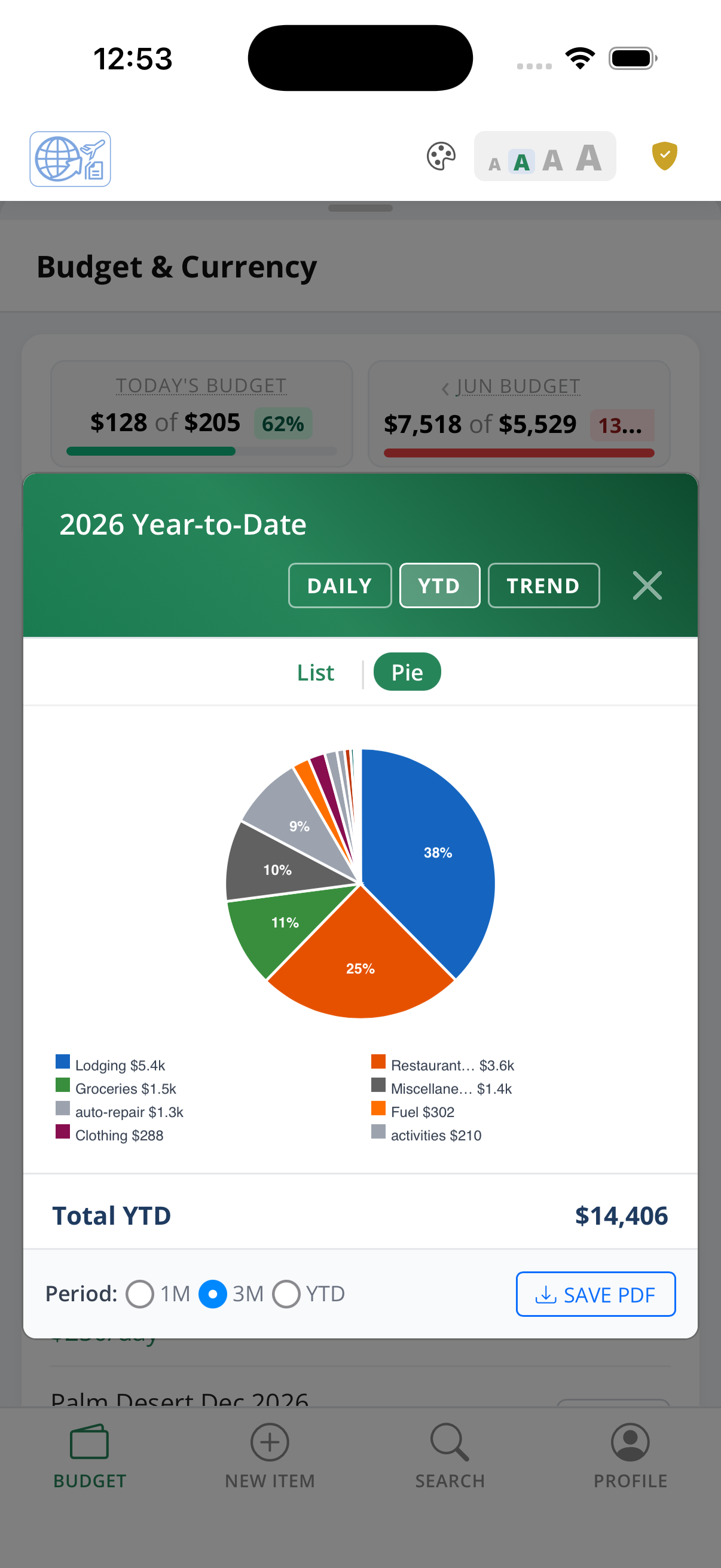
The year-to-date pie chart gives you a full-year view of spending by category across all itineraries. Identify your biggest travel cost drivers over time and use that insight to set more accurate daily budgets for future trips.
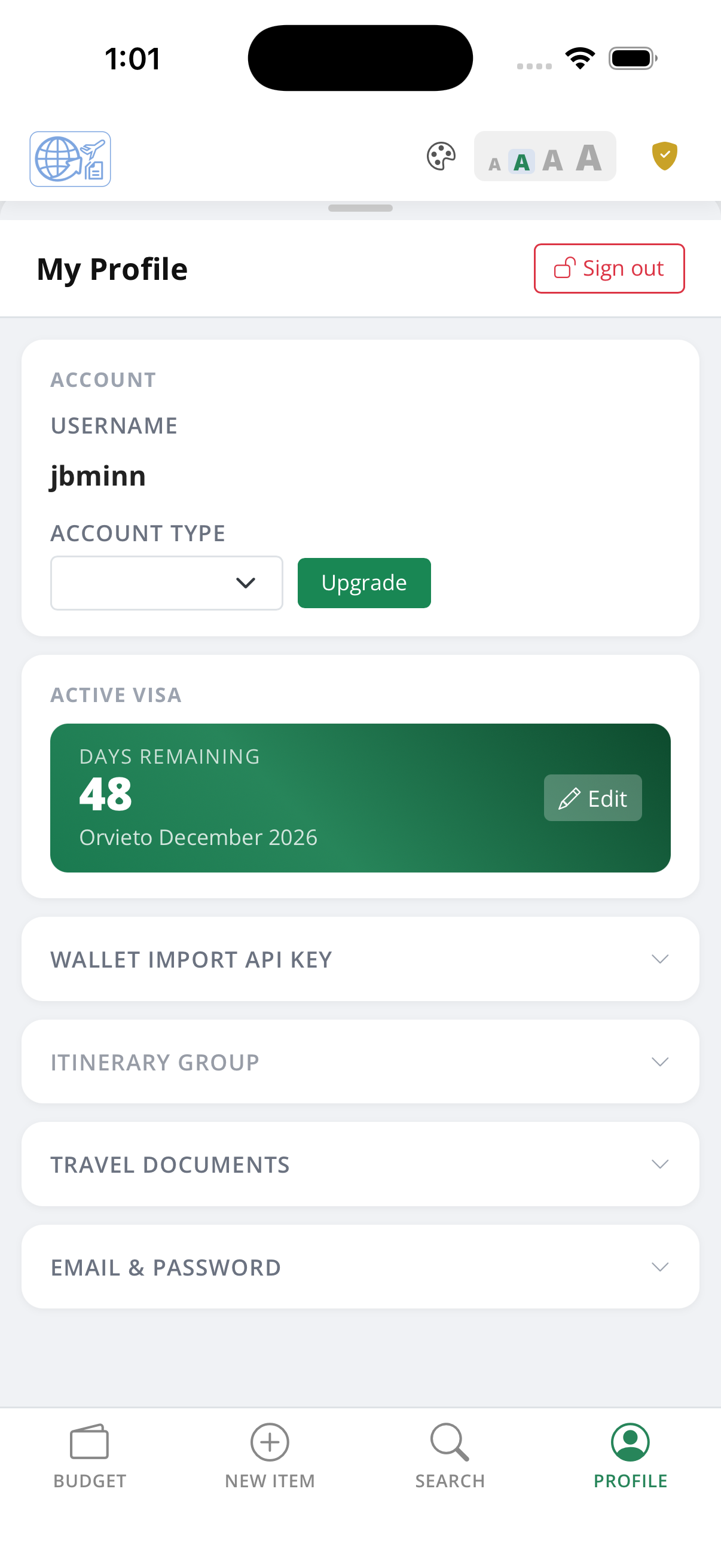
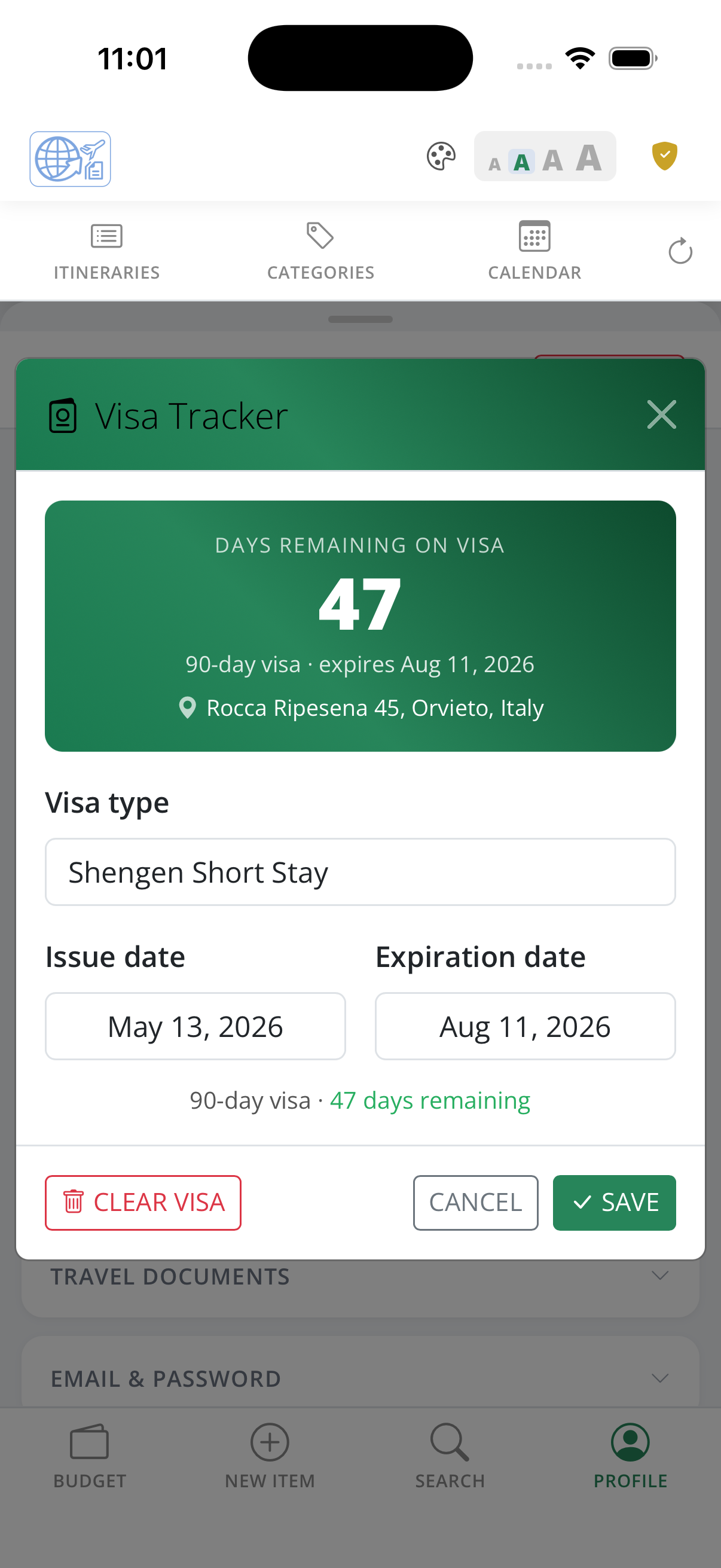
Store and manage visa information directly in your profile — entry requirements, issue and expiry dates, and the associated itinerary are all captured in one place so your documentation is never out of reach when you need it at document control.
Tap the Visa record to edit its details. The detail page lists the visa type, associated itinerary, pertinent dates & provides a countdown to expiry.
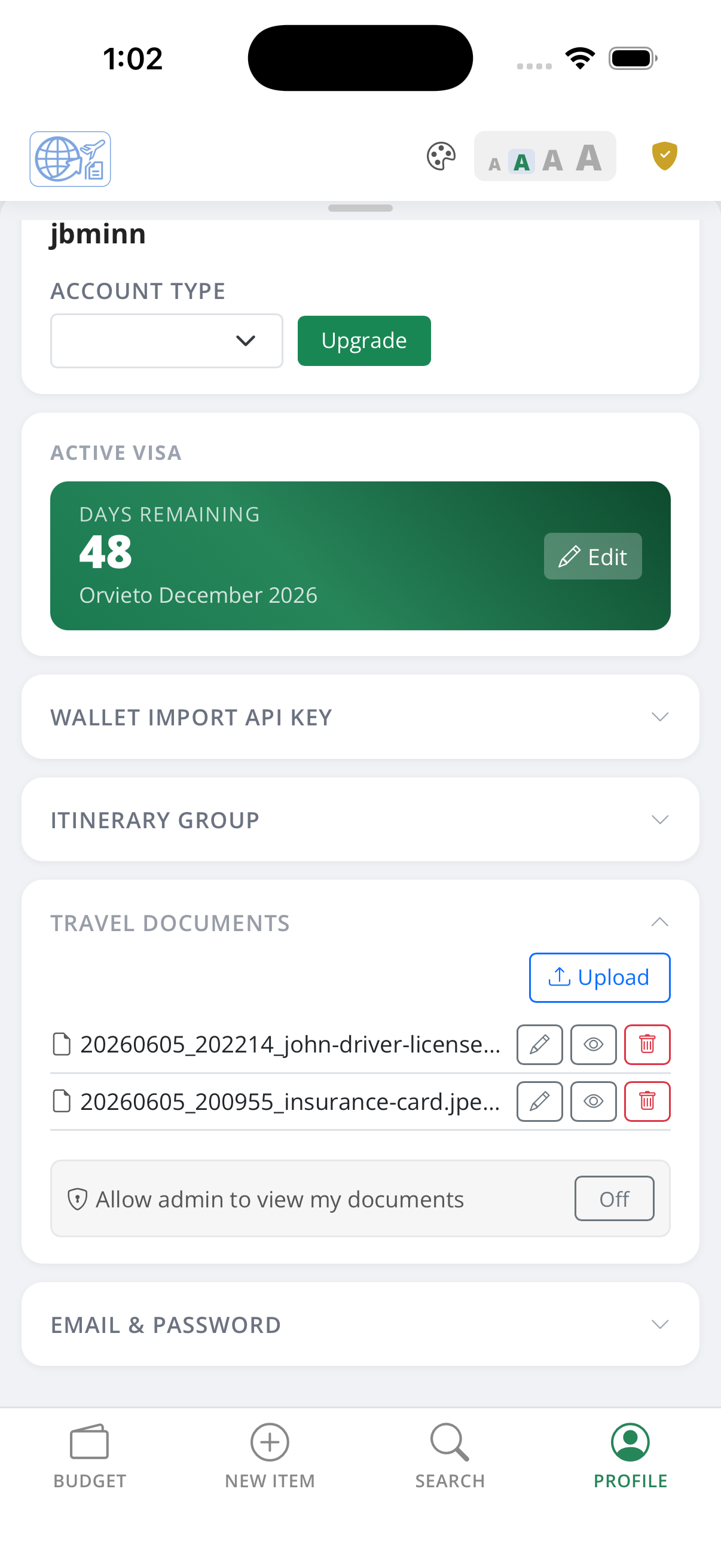
Upload passport scans, insurance cards, travel authorisations, and other documents to your private vault. Files are stored securely and accessible from any device — so even if you lose your wallet, your documents are still with you.
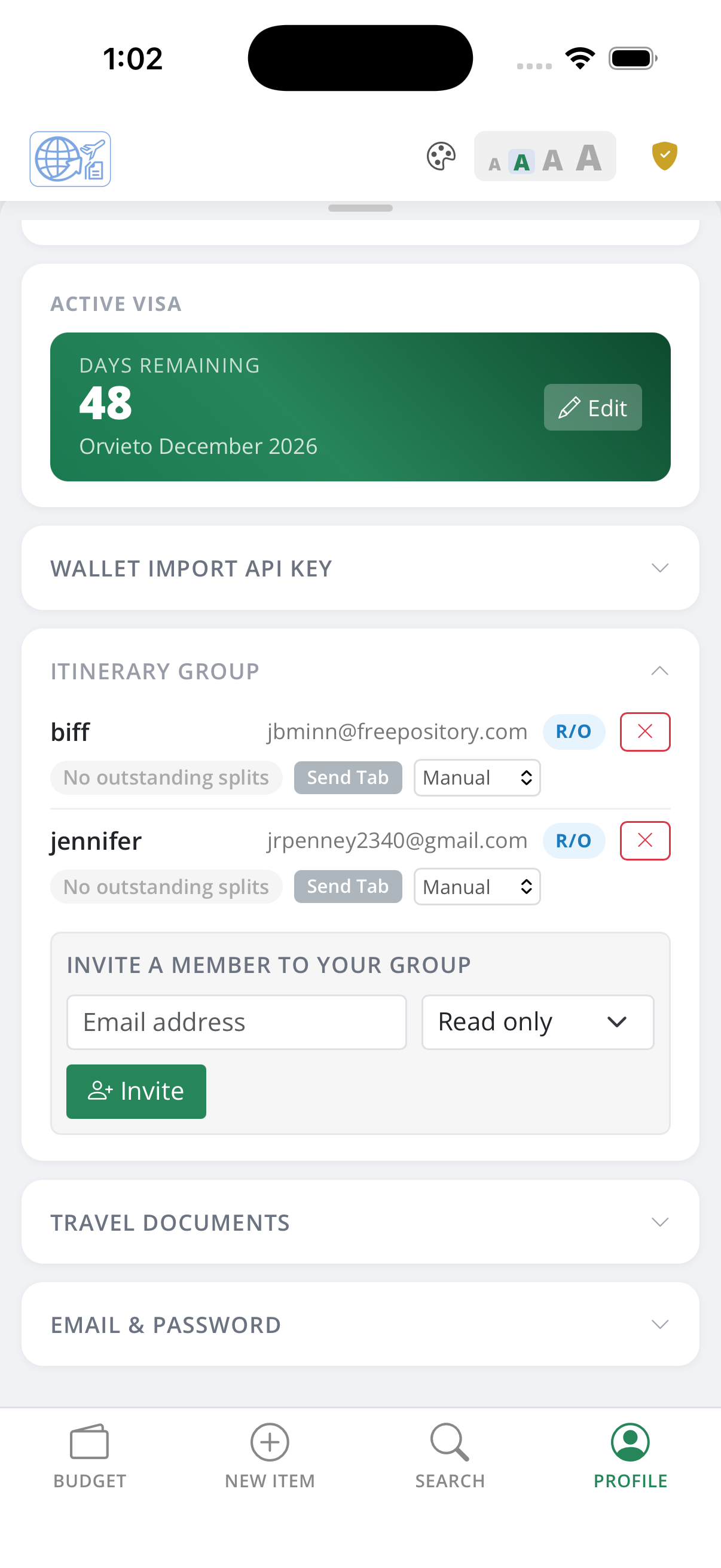
Group travel accounts let you share itineraries with travel companions. The account owner controls who has access, and all group members can view and add records to the shared itinerary — keeping everyone's spending in one consolidated view.
Travel groups support cost sharing. Split expenses between group members, tap once to send a Tab.
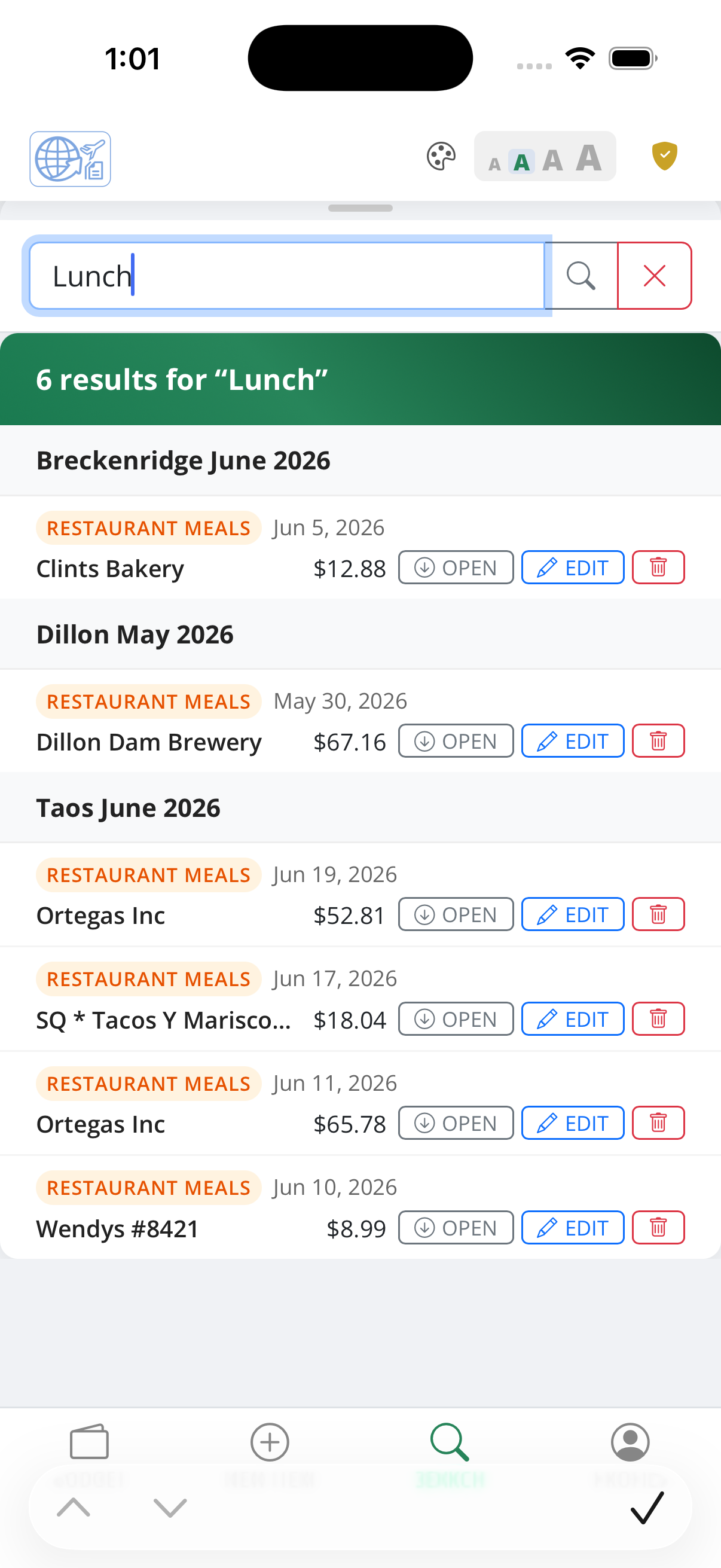
Full-text search scans every record across all itineraries at once. Results show the category icon, vendor name, date, cost, and which itinerary the record belongs to — tap any result to open the full record for editing or review.
Find a hotel booking from two years ago, a restaurant charge you can't quite place, or any vendor name across every trip — search works across all your data in one shot.
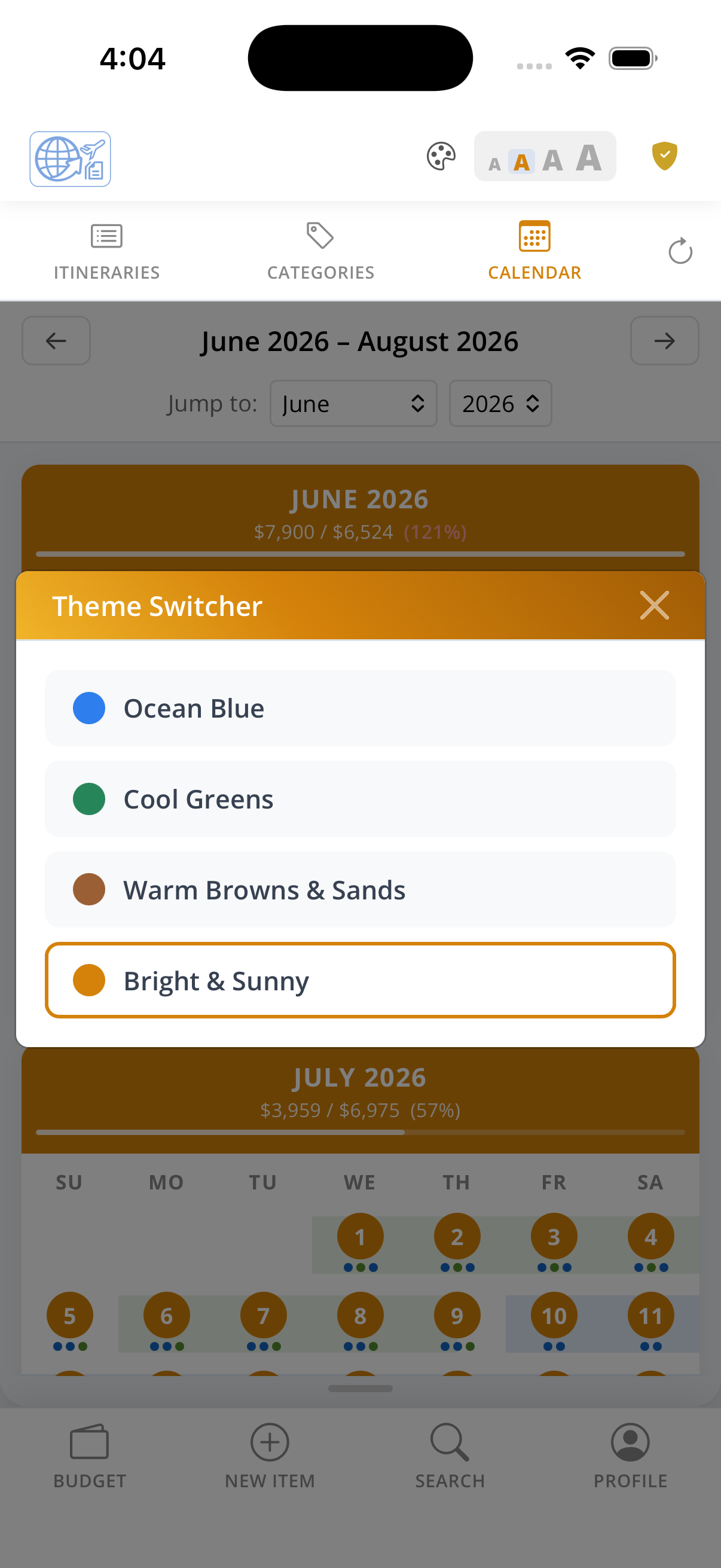
Wanderer Wallet lets you choose a theme color that reflects your style. Open the Member Profile and pick from the available palette — the entire app adopts your selection immediately, no restart required.
The chosen color flows through every interactive surface: the navigation bar, primary buttons, links, category badges, budget charts, and the active state indicators on the calendar and list views.
Switch themes as often as you like. Your preference is saved to your profile so it follows you across devices and sessions.
Start for free. Upgrade when you need more.
Redirecting…
.txt or .eml file also works.
Sign in instantly next time using Face ID — no password needed.
| Username | Type | Status | Joined | Itineraries | Visibility |
|---|
| Itinerary | User | Type | Date | Location | Vendor | Cost | Notes |
|---|